

Easy React deployment and CI/CD
Build, test and deploy React apps to your server
Create a free account

Automate your React deployments
Deploy your React app in 3 simple steps
Connect your repository
Setup your build
Deploy to multiple servers
Connect your repository
Link your GitHub, Bitbucket, GitLab or self-hosted repositories
Connect any number of Git accounts and select the repository you want to deploy.
Push a new commit and publish your changes with a single click.


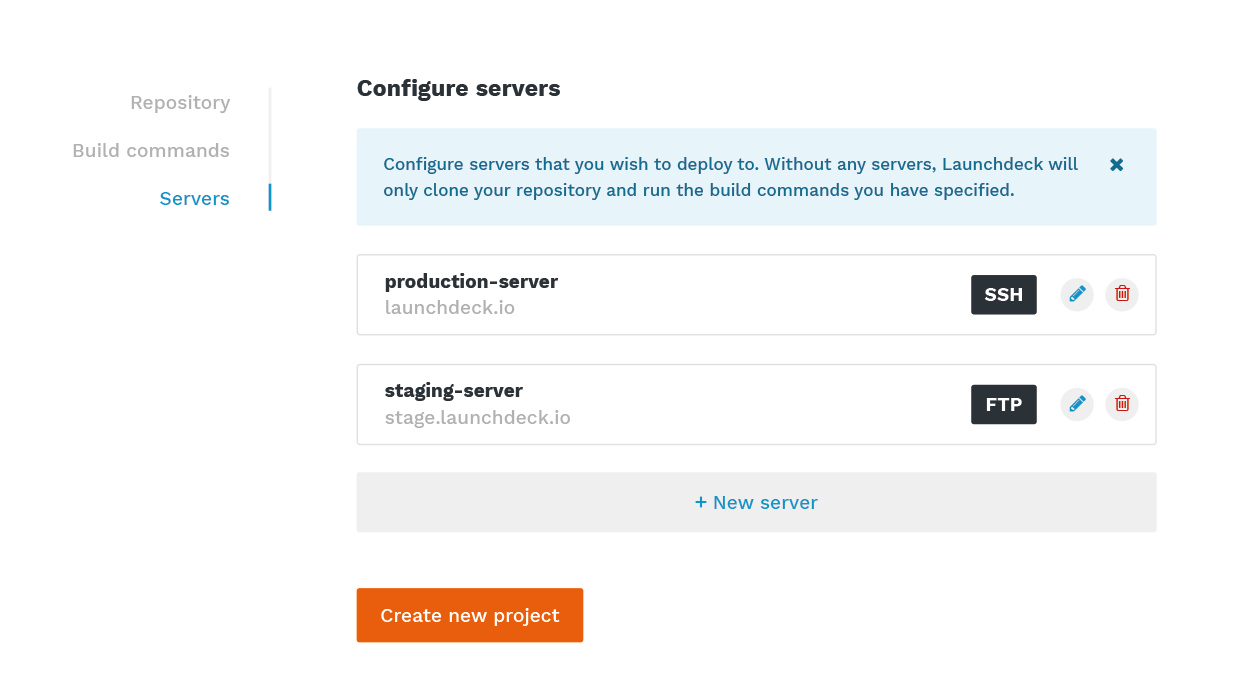
Deploy to multiple servers
Deploy to one or more servers using a variety of delivery methods
Deploy code via FTP and SFTP, or use atomic deployments to deploy with zero downtime.
Using a test server to preview new changes before publishing to your production server? No problem!
You’re now ready to deploy with zero-downtime and instant rollbacks.
Wondering whether Launchdeck can improve your React workflow? Ask yourself:
-
Do you ever manually upload files to your production server, sometimes losing track of which files need to be synchronized - which may result in downtime or errors?
Do you run build commands manually on your local machine or server?
When “plan B” is the move, do you find yourself wishing that rolling back to the previous was just a matter of clicking that one “rollback” button?
Learn how to deploy React to your production server in our deployment guide:
Easy and fast build automation
Define commands to process your code





Automate tasks such as installing dependencies, transpiling code, running tests, and everything in between.
- Cache dependencies and artifacts
- Automatic build configuration
- Exclude certain files
- Dedicated helper commands
- Shared files
All plans include
Zero-downtime (atomic) deployments
Your site won’t ever go down. Publishing a new version? We’ll upload the new version to a separate directory first and only then update the symlink to bring it online.
Build automation
Automatically install dependencies, run tests, compile code, and more, faster than ever thanks to our unique built-in caching system.
SSH commands
Run shell commands on your server before or after a deployment. These can be anything: restarting services or running database migrations.
Configuration files
Keep sensitive information such as database credentials safely excluded from your repository by storing them in your encrypted server-specific config file pool.
Multiple deployment targets
Deploy to one or more servers using a variety of delivery methods such as FTP, SFTP and SSH.
Realtime logs
During every step of the way, a log is synchronized to your browser in real time so you can easily keep track of the deployments to your servers.
Plans & Pricing
Discounts available with annual plans.
Starter
USD estimate for: €9
- 5 projects
- ∞ deployments
- ∞ build minutes
- Chat + email support
Need more projects? Contact us for enterprise pricing.
Discounts available with annual plans.